
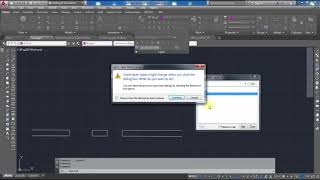
This is 51st video, of Tips and Tricks and We’re going to have a look at the Layer Walk command today in Auto CAD – or LayWalk as it’s known. we’re going to use the Layer Walk command, and what it allows you to do is highlight the layers that you want to see.so that this goes down towards the bottom left, and then in the layers panel – in the Home tab on the ribbon – the Layer Walk command is on the flyout. So, click the flyout here and just pin it open. if we click on the flyout pin it never goes back. when open laywalk you can see all commend using in this drawing now you click one by one on layers and see a preview how you can one or more layers on another off. for more detail watch this full video
#ErtugrulYouTubeRecord #ErtugrulUrdu aamirshahzad autocad AutoCAD Short Cut Calculate the Horizontal distance between 2 unknown points with triangle method in Urdu/Hindi Civil 3d Description Key Civil 3d Points Objects Convert coordintes KTM to Plant Coordinates conversition Ertugrul Ghazi Urdu ErtugrulUrdu hariri hindi IM-105 job in Dubai Job in Pakistan Jobs All over the world Jobs in Saudi Arab Land Survey land surveyor land surveyor career land surveyor job Land Surveyor job in Kuwait Land Surveyor Job in Saudi Arab land surveyor salary Leica FlexLine Leica TC405 Mobile App Quantity Surveying REM function in Sokkia Total Station Road Design Short Commands in Auto CAD Sokkia IM105 Sokkia TS Stake Out survey Surveying surveyor urdu Use of Ctrl key in AutoCAD Use of XClip command on XREF drawing in Auto-CAD Hindi/Urdu vibrocompaction video youtube youtubevideo
 Aamir Shahzad