
Here I am going to explain 17 options in AutoCAD or 17 commands in Auto Cad which we can use simply press Ctrl +
| CTRL+0 | CLEANSCREEN | Turns user interface elements on/off |
| CTRL+1 | PROPERTIES | Turns properties on/off |
| CTRL+2 | ADCENTER | Turns design center on/off |
| CTRL+3 | TOOLPALETTES | Turns tool palettes window on/off |
| CTRL+8 | QUICKCALC | Launches calculator window |
| CTRL+A | Select all | |
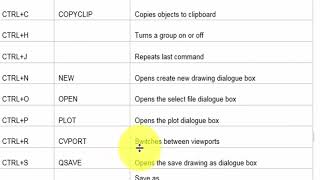
| CTRL+C | COPYCLIP | Copies objects to clipboard |
| CTRL+H | Turns a group on or off | |
| CTRL+J | Repeats last command | |
| CTRL+N | NEW | Opens create new drawing dialogue box |
| CTRL+O | OPEN | Opens the select file dialogue box |
| CTRL+P | PLOT | Opens the plot dialogue box |
| CTRL+R | CVPORT | Switches between viewports |
| CTRL+S | QSAVE | Opens the save drawing as dialogue box |
| CTRL+SHIFT+ S | Save as | |
| CTRL+V | PASTECLIP | Pastes data from clipboard to drawing |
| CTRL+X | CUTCLIP | Removes select object from drawing to clipboard |
 Aamir Shahzad